
Best Connectivity VERIFIED
BenQ
PD2705U
BenQ · Monitors
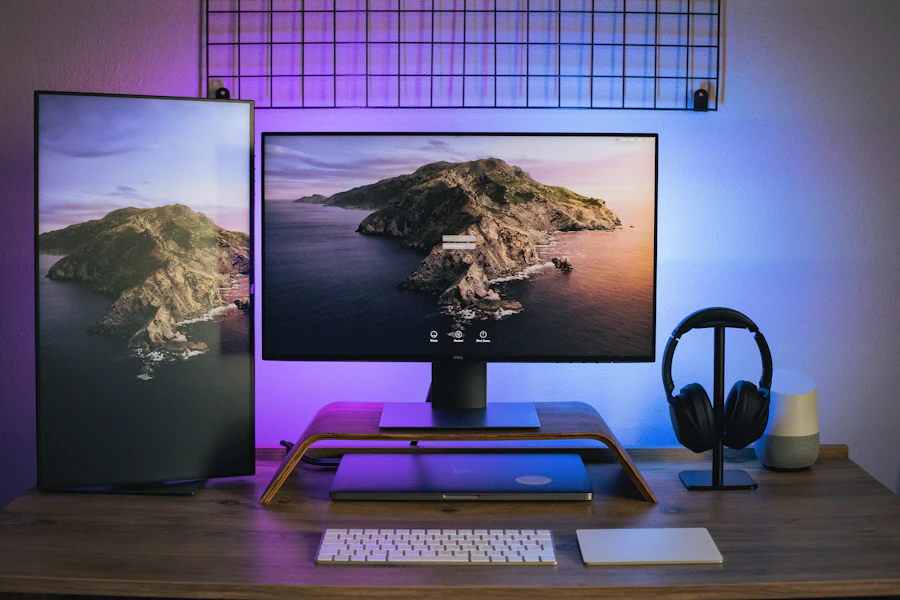
A factory-calibrated 27-inch 4K IPS monitor for designers, with 65W USB-C, AQCOLOR accuracy, and Mac-friendly tuning.
4.5 100% recommend$549
8.4 score verified
ComparZone Score
8.4
Very good
The PD2705U is a smart, no-drama 4K monitor for creators who prioritize color accuracy, si…
$549
best of 3 sellers
Price · trend
▼ $60
3840x2160
Resolution
Display
60 Hz
Refresh Rate
Performance
27 in
Screen Size
Display
350 nits
Brightness
Display
IPS
Panel Type
Display
Why it stands out
A creator-first 4K monitor focused on
A creator-first 4K monitor focused on color accuracy and convenience
65W USB-C and Mac tuning make
65W USB-C and Mac tuning make it an ideal MacBook companion
KVM and daisy-chaining add genuine productivity
KVM and daisy-chaining add genuine productivity value
60Hz and entry HDR mean it
60Hz and entry HDR mean it is not for gaming or HDR spectacle
Category scores
marker = Monitors average
Performance profile
PD2705U Category avg
Decision snapshot
Best-in-class
Connectivity
Beats avg by
-0.4 pts
Confidence
96 %
Data sources
3
0%
Data quality0%
Spec coverage0%
Recommend0Specs tracked
0Spec groups
0Class-leading
0%Avg confidence
Display 96% verified
Screen Size96%27 in
Resolution96%3840x2160
Brightness96%350 nits
Panel Type96%IPS
HDR96%VESA DisplayHDR 400
Color Gamut96%100% sRGB, 95% DCI-P3
Performance 96% verified
Refresh Rate96%60 Hz
Response Time96%5 ms
Connectivity 96% verified
USB-C Power Delivery96%65 W
Ports96%1x HDMI 2.0, 1x DisplayPort 1.4, 1x USB-C (65W, DP Alt Mode), 1x DP out, USB hub, 3.5mm audio
Features 96% verified
Adaptive Sync96%None
Design 96% verified
Stand Adjustments96%Height, tilt, swivel, and pivot adjustable (VESA 100x100)
Price trend
$549▼ $60
low · $549high · $611
Review sentiment
4.5OUT OF 5
8.4
Expert review score
ComparZone editorial · /10
Pros & cons
Pros
- Factory-calibrated 4K with accurate sRGB and DCI-P3
- 65W USB-C single-cable power and video
- KVM, daisy-chaining, and Hotkey Puck G2 productivity features
- Fully ergonomic stand
Cons
- 60Hz refresh feels dated for general use
- DisplayHDR 400 without local dimming limits HDR
- Not suited to gaming
- No Adobe RGB-focused wide-gamut target for pre-press
When should you buy?
Good time to buy
Launched around $599-$629 and now typically sells for $499-$549, with sale pricing occasionally dipping toward $450.

R
Robert C. Verified
5 months ago
Excellent for work, wish it was faster
Color accuracy and build quality are great, and the 65W USB-C tidied up my desk instantly. The only thing holding it back for me is the 60Hz refresh, which feels a little sluggish after using a high-refresh monitor. For pure design work though, it's exactly right.
Helpful · 29
H
Hannah L. Verified
8 months ago
Perfect MacBook design monitor
One USB-C cable powers my MacBook Pro and gives me a sharp, accurate 4K canvas for photo editing. Colors matched my prints closely right out of the box. The Hotkey Puck makes switching modes easy and the stand adjusts every way I need. For creative work this has been ideal.
Helpful · 47
From the community
QCan I daisy-chain a second monitor from this one?
Yes. It includes a DisplayPort output that supports daisy-chaining via DP MST, so you can connect a second compatible display from this monitor.
QDoes it come calibrated, or do I need to calibrate it myself?
Each unit ships factory-calibrated with a report for sRGB and Rec.709 accuracy, so it is ready for color work out of the box, though you can recalibrate later if you own a colorimeter.
Frequently asked
Is the PD2705U good for MacBook users?
Yes. It offers 65W USB-C for single-cable power and video, and BenQ tunes the panel for Mac color consistency, including an M-Book mode, making it one of the better MacBook companion monitors.
Can it be used for gaming?
It can display games but is not designed for them. At 60Hz with no variable refresh and standard IPS contrast, it is far better suited to color-accurate creative and productivity work.
Does the USB-C port charge a laptop?
Yes. The USB-C port delivers up to 65W of power, enough to charge and run most ultrabooks and many mainstream laptops while sending the 4K video signal over the same cable.